- Kp alone is a poor alarm. It says the planet is stormy, not that your sky is dark and clear.
- The best alerts combine three things: activity, darkness and cloud cover at your location.
- Southward Bz is your earliest live signal, roughly 30–60 minutes ahead of the aurora.
- Set your Kp threshold for your latitude, not someone else's.
- Android battery saving can delay alerts by hours. Two settings fix it.
Your options for northern lights alerts
There are three main ways to get notified, and they suit different people:
| Option | Good at | Weak at |
|---|---|---|
| NOAA email alerts | Official, free, fast. Covers watches, warnings and Kp alerts. | Global, not local. Knows nothing about your clouds or whether it's daylight. Email is easy to miss at night. |
| Local aurora groups and social media | Real sightings from people near you. | Usually arrives once the show is already underway. Noisy. |
| An aurora alert app | Push notifications, can check your location's conditions, adjustable thresholds. | Only as good as what it checks. Some only relay Kp. |
Many chasers use more than one: an app for the push, NOAA for the official word.
If you want NOAA's emails, sign up at the SWPC Product Subscription Service. The useful products for aurora are the geomagnetic K-index alerts (Kp 4 and above) and the G-scale storm watches.
Why Kp-only alerts let you down
Most simple alert setups boil down to "notify me when Kp reaches 5". That sounds reasonable, but it misses most of what decides whether you'll see anything:
- Daylight. Kp is global. A storm that peaks at 2 PM your time is invisible to you, however strong it is.
- Cloud. Overcast skies hide everything. In many aurora regions, cloud ruins more nights than weak activity does.
- Timing. Each Kp value covers a three-hour window and is only final once that window ends (see reading the Kp index). By the time "Kp 6" appears, the best surge may already be over.
- Forecast confusion. Some alerts quote the highest Kp in a multi-day forecast. You get "Kp 6!" at 11 PM for a storm that's expected the day after tomorrow.
The result is alert fatigue. After a few cloudy false alarms, people mute the app, and then miss the one night it mattered.
The signals worth an alert
Four signals cover almost every good aurora night. They work on different time scales, so together they give you both early warning and confirmation.
1. Kp near now, not days away
Still the backbone. Use the current Kp and the next few hours of forecast, not the multi-day peak. Paired with darkness and cloud cover for your location, it's the alert that tells you "go now".
2. Bz turning south
Bz is the north-south direction of the magnetic field carried by the solar wind. When it swings strongly south (negative), it links up with Earth's field and lets energy pour in. This is what triggers substorms, the sudden brightenings that turn a dull arc into dancing curtains.
Bz is measured by satellites at the L1 point, about 1.5 million km toward the sun. The solar wind takes roughly 60 minutes to cover that distance at a typical 400 km/s, and closer to 30 minutes at 800 km/s during a storm. That's your warning window, and it's earlier than any Kp reading can give you.
3. Bz staying south
A brief southward dip often fizzles. Bz that stays south for 30 minutes or more keeps loading energy into the magnetosphere and usually means a longer, stronger display. If you only want one Bz alert, this one has fewer false alarms.
4. Fast solar wind
Wind speed above about 500 km/s, especially a sudden jump, often marks the arrival of a coronal mass ejection or a fast stream from a coronal hole. On its own it doesn't guarantee aurora, but it means that if Bz turns south, things can escalate quickly.
| Signal | Typical warning | What it tells you |
|---|---|---|
| Storm watch (CME forecast) | 1–3 days | Plan ahead. Timing is often off by many hours. |
| Fast solar wind | 30–60 min | Conditions are primed. |
| Bz turning south | 30–60 min | A substorm may be coming. |
| Bz staying south | 30–60 min | Likely a sustained display. |
| Kp near now + dark + clear | Now | Go outside. |
Warning times for solar wind signals depend on wind speed. Faster wind means less notice.
Picking a Kp threshold for your latitude
The same Kp means very different things in different places. Use this as a starting point, then adjust after a few weeks:
| Where you are | Starting threshold |
|---|---|
| Tromsø, Fairbanks, Iceland, northern Finland | Kp 2–3 |
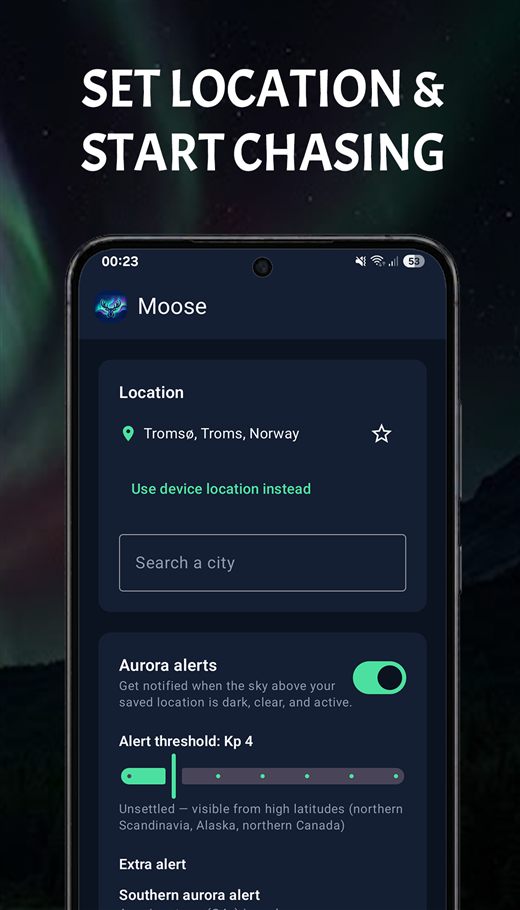
| Northern Scandinavia, Alaska, northern Canada | Kp 4 |
| Southern Scandinavia, Scotland | Kp 5 |
| Northern England, southern Canada | Kp 6 |
| Northern US, central Europe | Kp 7 |
| Southern England, Germany and similar | Kp 8 |
Dark, rural skies can drop your threshold by about one point. City light raises it. More in moonlight and light pollution.
If you get alerts but never see anything, raise the threshold by one. If friends nearby post photos from nights you weren't alerted, lower it. A season of feedback beats any table.
Make sure Android doesn't delay your alerts
This is the part almost nobody checks, and it's why many people say their aurora app "notified me an hour late". To save battery, Android postpones background work while the phone lies still with the screen off. That's exactly the situation at night, when the aurora happens. An app that should check every half hour may only get a chance every few hours.
- Set battery usage to Unrestricted. Long-press the app icon, tap App info, then Battery (or App battery usage), and choose Unrestricted. The wording varies a little by phone.
- On Samsung, add it to Never sleeping apps. Go to Settings → Battery and device care → Battery → Background usage limits, and make sure the app isn't in Sleeping or Deep sleeping apps. Adding it to Never sleeping apps keeps it out for good. Samsung puts apps you haven't opened for a while to sleep automatically, which is a real risk for an app that might go weeks without a big storm.
- Check notifications and Do Not Disturb. Make sure the app's notifications are on, and if you use Do Not Disturb at night, add the app as an exception.
- Keep Power saving and Data Saver off on chase nights. Both can hold back background checks.
Xiaomi, OnePlus, Huawei and some other brands add their own extra battery managers. The community site Don't kill my app has step-by-step instructions for most phones.
Alerts for night owls: quiet hours done right
Most phones' idea of quiet hours is "11 PM to 7 AM". For aurora, that's the worst possible choice: it silences the app during the exact hours around magnetic midnight when displays are most likely (see the best time to see the northern lights).
Think about it differently. If you're happy to be woken for a strong display, leave the night open and instead silence the hours you're never going outside, such as your working day. If you really need sleep on work nights, use a higher Kp threshold rather than switching alerts off, so only the rare big storms get through.
What to do when the alert goes off
- Look first, then dress. Step outside or check a window facing the pole for a minute. A quick phone photo shows faint aurora your eyes might miss (here's why).
- Check Bz. If it's strongly south and holding, it's worth heading somewhere darker. If it has just swung back north, the surge may be fading.
- Check the clouds. A clear pocket 30 minutes' drive away beats overcast at your door.
- Give it 20 minutes. Activity comes in waves. A quiet sky often lights up again after a lull.
- Glance at a live cam. If you're far south of the oval, our aurora webcams show what's happening further north right now, a good sign of whether it's worth waiting.
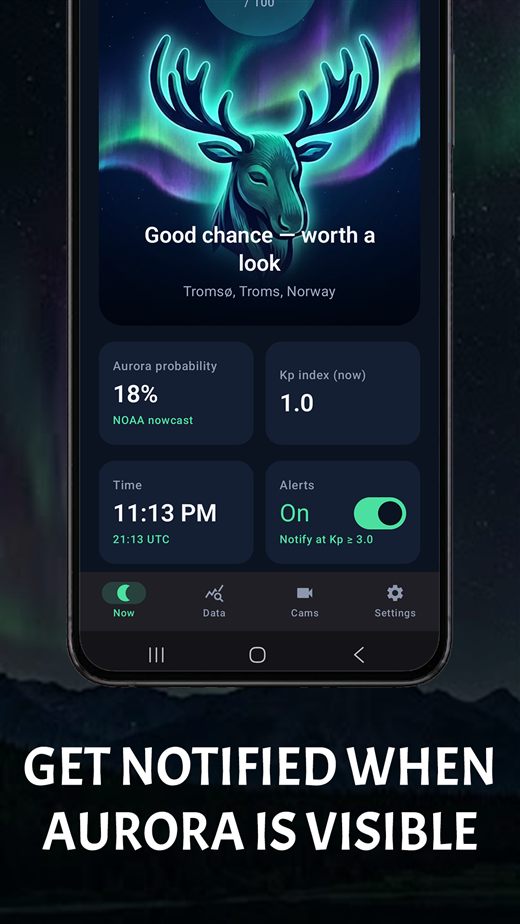
How Moose handles alerts
We built Moose because we kept getting woken by Kp alerts for cloudy skies. It applies everything above:
- The Kp alert only fires when it's dark and reasonably clear at your location, and it uses Kp for the next few hours, not a peak days away.
- Separate alerts for a sudden southward Bz turn (substorm heads-up), Bz staying south, and fast solar wind. Turn each on or off on its own, and give each its own notification sound.
- Your own Kp threshold, set with a slider.
- Quiet hours you choose yourself, checked in your location's time zone.
- No background location tracking. Moose uses the last location you set or the one from your last time in the app.
It's free on Android. Remember the battery settings above, whichever app you use.

Frequently asked questions
How do I get notified when the northern lights are visible?
Install an aurora alert app and set your location, or subscribe to NOAA's free space weather emails. The most useful alerts also check whether it's dark and clear where you are.
What Kp should I set my aurora alert to?
It depends on your latitude: about Kp 2–3 near the Arctic Circle, Kp 5 in southern Scandinavia and Scotland, Kp 6 in northern England and southern Canada, and Kp 7 in much of the northern US and central Europe. Adjust after a few alerts.
How much warning does an aurora alert give?
Real-time solar wind alerts give roughly 30–60 minutes. Storm watches give one to three days, but their timing is uncertain by many hours.
Why are my aurora notifications late?
Usually Android battery optimization. Set the app's battery usage to Unrestricted, and on Samsung add it to Never sleeping apps. Also check Do Not Disturb.
Is there an app that only alerts me when the aurora is actually visible where I live?
Yes. Moose checks Kp for the next few hours, then only alerts you if it is dark and reasonably clear at your location. It also has separate alerts for Bz turning south and for fast solar wind, and quiet hours in your own time zone.
Are aurora alert apps free?
Many are. NOAA's email alerts are free, and Moose is a free Android app that combines aurora activity, cloud cover and darkness for your location.
References
- NOAA Space Weather Prediction Center, Subscription services.
- NOAA Space Weather Prediction Center, NOAA space weather scales.
- NOAA Space Weather Prediction Center, Real-time solar wind.
- Android Developers, Optimize for Doze and App Standby.
- Don't kill my app, Samsung.
Free printable guide. Take it with you: The Aurora Night Guide (PDF, 3 pages) covers the Kp index, when to go, a packing checklist and phone camera settings.